INNOVA SDS50 SUPPORT
Get all the support you need for your product.
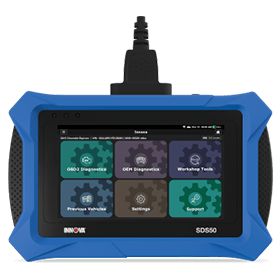
SDS50SDS Tech
Download Product Owner Manual:
Download Manual (English) Download Manual (Spanish)Updating the SDS Tool:
View InstructionNotify me when updates are available
Technical Support for further assistance.
Helpful Articles
Get More Information From Our Videos



SDS50 FAQs
The tool supports foreign and domestic vehicles from 1996 and newer OBD II vehicles, including light trucks, SUVs, and hybrid vehicles sold in the US or Canada. Customers can check supported functions and vehicle coverage here: Coverage Checker
To find specific function like Transmission Reset or DPF Reset, go to the Workshop Tools menu and scroll down to the Reset section. However, availability of certain features depends on the specific make and model of the vehicle. To ensure compatibility before purchasing, we recommend using the Coverage Checker on pro.repairsolutions.com
The SDS50 includes free lifetime software updates and core diagnostic functions with no mandatory subscription required. The only feature that may require an additional fee is the optional Repair Information service provided by MOTOR, which is a third-party service. This feature is clearly labeled as optional and is not required to diagnose vehicles or use the scanner’s main functions.
When the tablet shows "Communication Error", it means the tablet failed to establish communication with the vehicle.
Please follow these steps to troubleshoot the issue:
1. Check if the tablet DLC cable is securely plugged into the vehicle’s DLC port.
2. Turn the ignition off, then turn it on again after 10 seconds. DO NOT start the engine and then retry the operation.
3. Check if the vehicle’s control module is defective
Have Questions?
Please do not hesitate to contact us for assistance.
Our U.S.-based customer service team is ready to assist you.
-
 Phone: +1 800 - 544 - 4124
-
 Email: protechsupport@repairsolutions.com