Introduction
Description: The Transmission Fluid Change Reset is a procedure performed on a vehicle's transmission system after the transmission fluid has been changed. It involves resetting the Transmission Control Module (TCM) or Transmission Fluid Life monitors to ensure accurate monitoring of the condition of the new fluid and performance.
The purpose of this function is to allow the TCM to relearn the characteristics of the new transmission fluid and adjust its operating parameters accordingly. The TCM is responsible for controlling various aspects of the transmission system, such as shift points, torque converter lockup, and overall performance. By resetting it, the TCM can adapt to the fresh fluid and optimize its operation for improved efficiency and longevity.
Resetting the Transmission Fluid Change usually requires accessing the vehicle's onboard diagnostic system, which can be done through a diagnostic tool or by following specific steps outlined in the vehicle's user manual.
Benefits: This article will guide users on how to perform the Transmission Fluid Change Reset function while using the Innova SDS50: Smart Diagnostic System (SDS) Tech.
Instructions
NOTE: This procedure is carried out on the 2017 Chevrolet Captiva Sport.
NOTE: The system name and function procedure differ depending on the manufacturer and model of the vehicle.
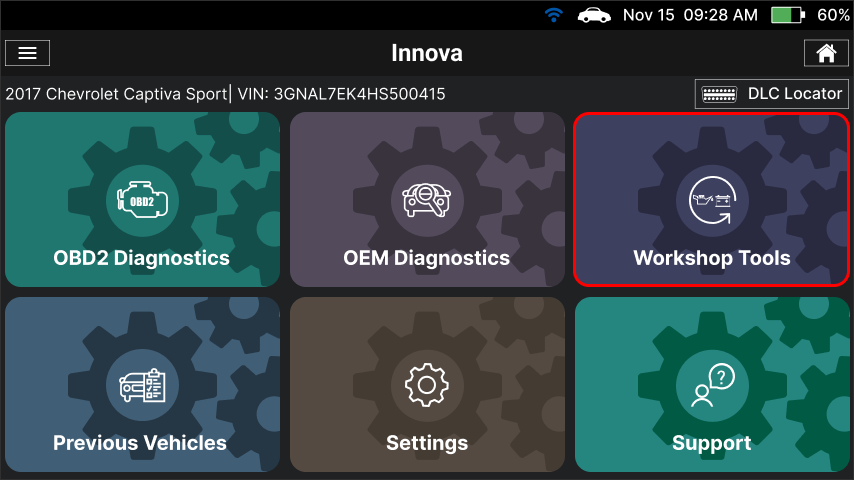
Step 1: Connect the Innova SDS50 to the vehicle via the 16-pin Data Link Connector (DLC). Wait a moment for the AUTO-LINK process to be completed. After retrieving, the Innova SDS50 gets general information such as VIN, vehicle information, and odometer. Next, select the Workshop Tools section.
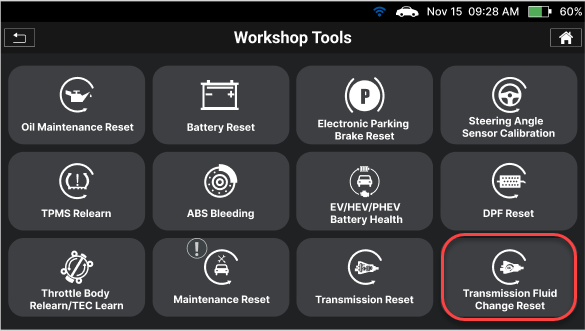
Step 2: The Innova SDS50 offers a range of features, including 16 Service Reset functions as illustrated in the image. To initiate the Transmission Fluid Change Reset function, you can choose the Transmission Fluid Change Reset item from the list.
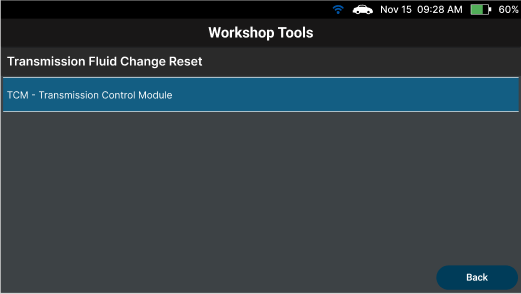
Step 3: Select the system and sub–system to perform the Transmission Fluid Change Reset function.
Step 4: Select the Reset Transmission Oil Life function.
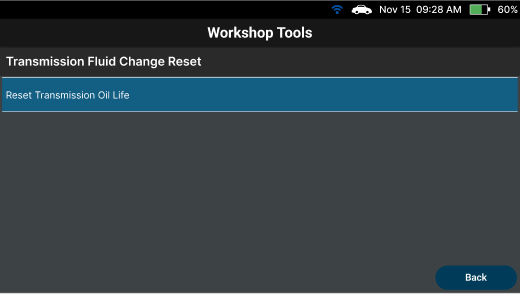
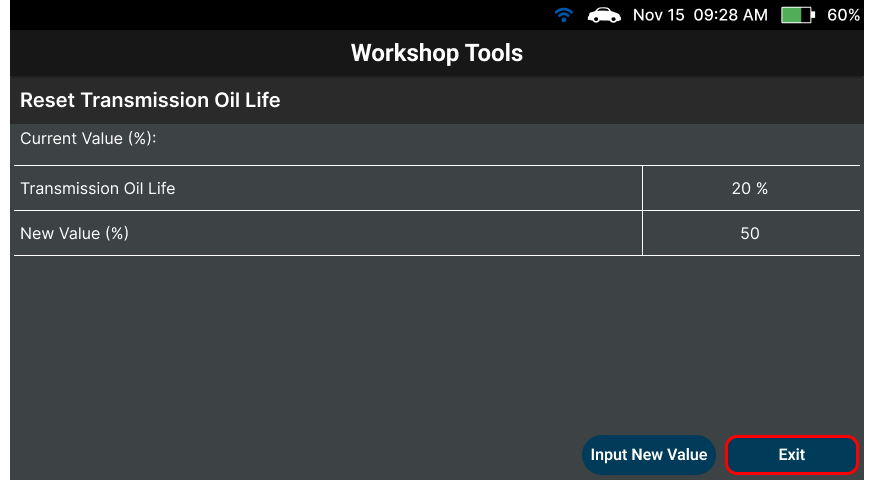
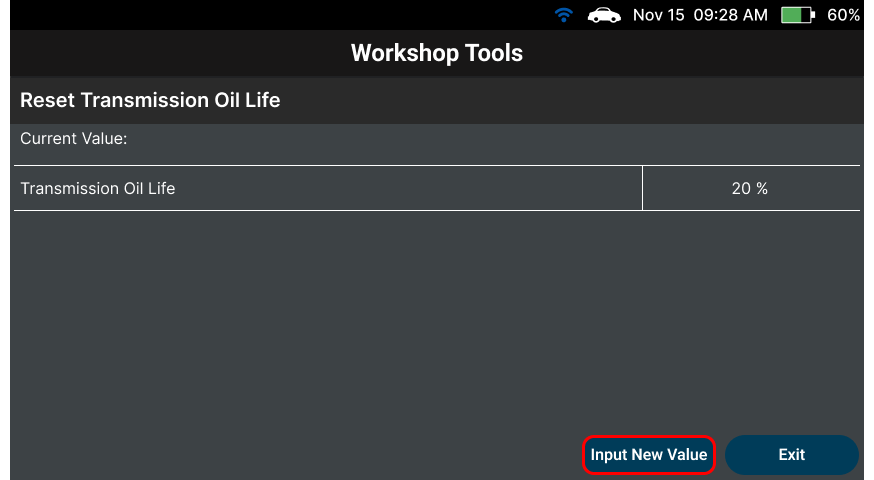
Step 5: Wait for the Innova SDS50 to communicate with the vehicle to check the Transmission Oil Life status and show. After that, tap the Input New Value button to input the new value of the Transmission Oil Life.
NOTE: Prioritize replacing the Transmission Oil before proceeding with the Reset Transmission Oil Life function to guarantee accurate oil filter status for future maintenance.
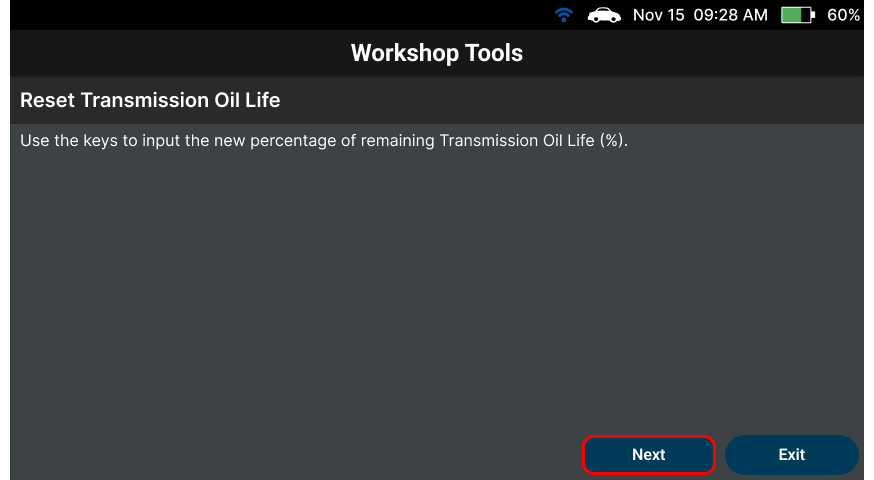
Step 6: Select the Next button to go to the next step.
Step 7: In this screen, input the new value of the Transmission Oil Life and select the Perform Reset button on the pop-up to perform the function. Wait for the Innova SDS50 to communicate with the vehicle and write the new value into the TCM memory.
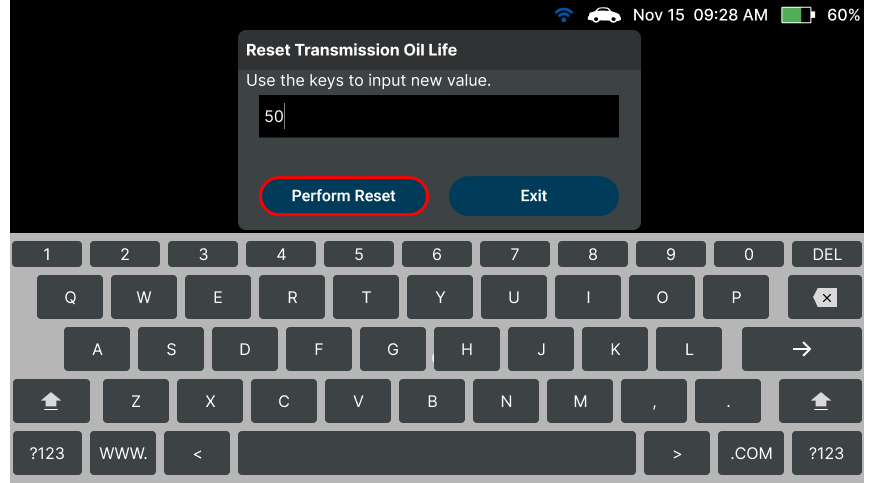
Step 8: After that, select the Exit button to exit the function.