Introduction
Description: To guide you on how to use the Active Test feature while using the Innova SDS50 Smart Diagnostic System (SDS) Tech.
Benefits: The Active Test function, also called the Active Test, is a function to activate the actuators, relays, fuel pumps, injectors, ignition coils, and many more components. Performing the Active Test feature for Engine Control Module/Powertrain Control Module (ECM/PCM), and Transmission Control Module (TCM) systems on various vehicles is available on the Innova SDS50. It offers the most popular items in the Active Test function available for 7 vehicle makes - Chrysler, GM, Ford, Hyundai, Nissan, Toyota, and Honda.
Instructions
Step 1: Connect the Innova SDS50 to the vehicle via the 16-pin Data Link Connector (DLC). Wait a moment for the AUTO-LINK process to be completed.
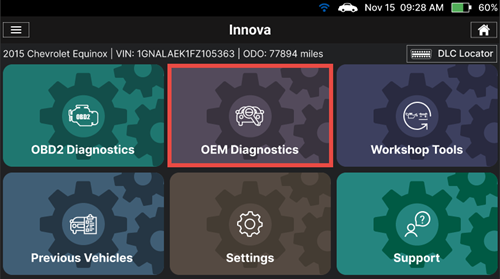
After retrieving, the Innova SDS50 gets general information such as VIN, vehicle information, and odometer. Next, select the OEM Diagnostics section.
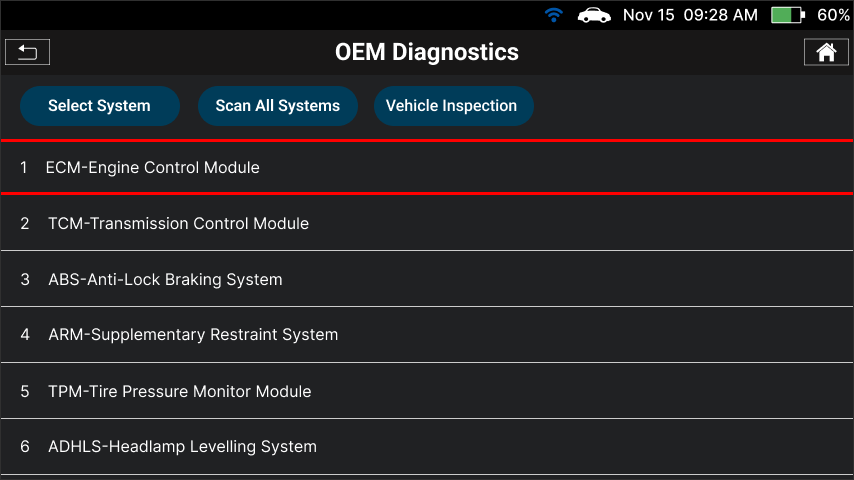
Step 2: Based on the vehicle information, the Innova SDS50 shows you the list of systems supported in this vehicle. Next, select the system you wish to perform the Active Test.
NOTE: The system name might be different from vehicle to vehicle.
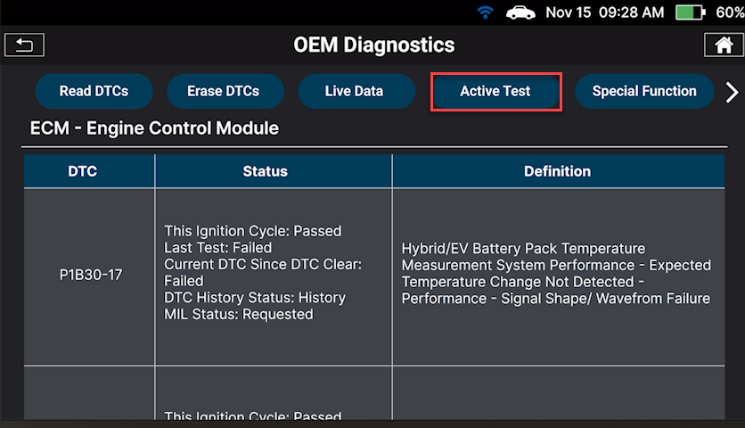
Step 3: Waiting for the Innova SDS50 to retrieve data from the control modules. Tap the Active Test button to access the Active Test feature of this module.
NOTE: The Active Test feature availability varies based on the make and model of the vehicle.
The Scan Tool retrieves and displays a menu of Active Tests available for the vehicle. Select the desired test. Follow the instructions to control the vehicle actuators and components to operate as desired.
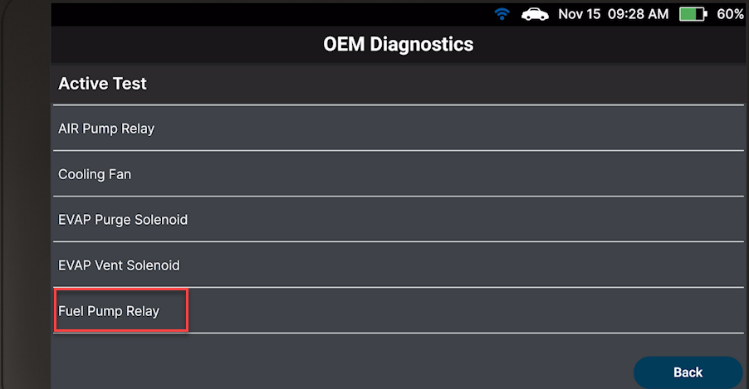
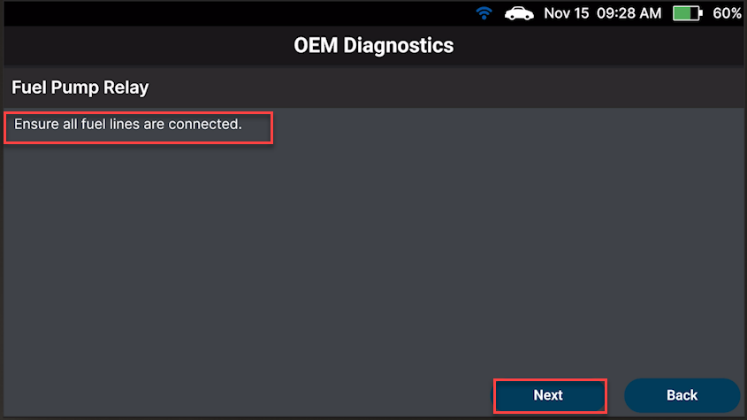
Step 4: Follow the instructions on the screen to meet the conditions of the Active Test process. Then tap Next, and the Innova SDS50 will display a control screen to perform the test.
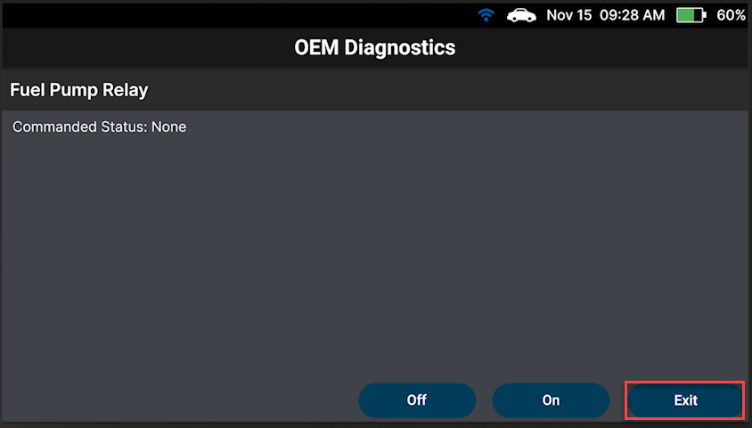
Step 5: After tapping the appropriate control, the screen will show its test results. Repeat this step as desired.
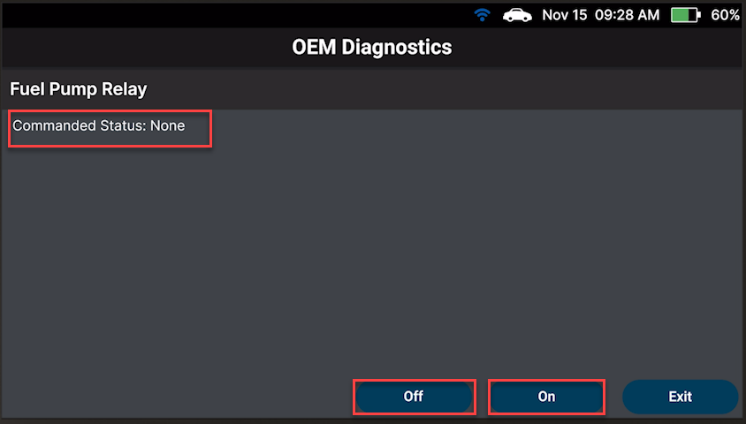
Step 6: Tap Exit to return to the Active Test menu.