INNOVA SDS43 SUPPORT
Get all the support you need for your product.
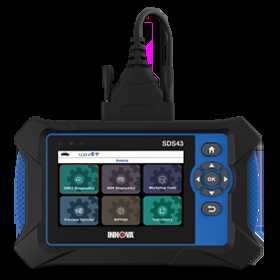
SDS43SDS Inspector
Download Product Owner Manual:
Download Manual (English) Download Manual (Spanish)Updating the SDS Tool:
View InstructionNotify me when updates are available
Technical Support for further assistance.
Helpful Articles
Get More Information From Our Videos








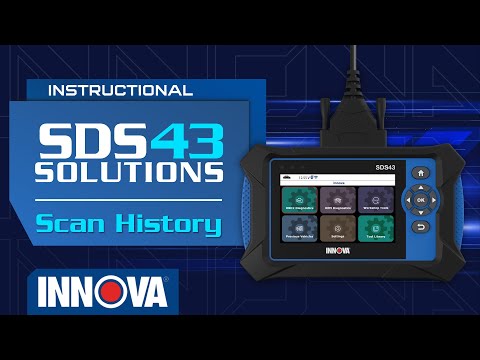


SDS43 FAQs
The tool supports foreign and domestic vehicles from 1996 and newer OBD II vehicles, including light trucks, SUVs, and hybrid vehicles sold in the US or Canada. Customers can check supported functions and vehicle coverage here: Coverage Checker
To update the SDS43, please download the OBD Tool Updater for PC, connect the tool to your computer using the USB data cable, and follow the instructions provided in the software to complete the update. For more details, visit the link: Updating the SDS Tool
Innova SDS43 supports up to 12 workshop tools and a wide range of bi-directional and special functions. However, some functions depend on the specific vehicle. Customers can check supported functions and vehicle coverage here: Coverage Checker
There are two ways to connect the SDS43 tablet to Wi-Fi:
1. Through the RSPRO App: Open the RSPRO app > Tool Pairing > Add Tool > Set up Wi-Fi > Enter your Wi-Fi credentials.
2. Directly on the Tablet: Go to Settings > Wi-Fi, select your network, and enter the password carefully
The SDS43 includes free lifetime software updates and core diagnostic functions with no mandatory subscription. The RepairSolutionsPRO® app may display optional third-party service, such as Repair Information (offered by MOTOR). This feature is clearly labeled as optional, requires separate purchase approval, and is not required to diagnose vehicles or use the scanner.
To access secure gateway modules on FCA/Stellantis or Nissan vehicles, you need to register the SDS43 with AutoAuth (autoauth.com). Pairing the tool with RSPRO app, tap the Secure Gateway Access and follow the instructions in the app to complete the Secure Gateway unlock process. For more details, visit the link: Innova SDS43 - How to unlock the Secure Gateway (SGW)
If a function shows 'Not Supported,' it means the SDS43 does not have coverage for that specific function on your vehicle's year, make, model, and engine. First, check the Coverage Checker at Coverage Checker to verify what functions are supported for your vehicle. If the function is listed as supported but is not working, ensure your tool has the latest software update.
To connect your tablet to the RSPRO® app, please follow these steps:
1. Download the RepairSolutionsPRO® app from the App Store or Google Play
2. Create or log into your account, then follow the on-screen pairing instructions
3. Once paired, the data from your tablet is automatically transferred to the app to create a report
Have Questions?
Please do not hesitate to contact us for assistance.
Our U.S.-based customer service team is ready to assist you.
-
 Phone: +1 800 - 544 - 4124
-
 Email: protechsupport@repairsolutions.com