Introduction
Description: Tire Pressure Monitoring System (TPMS) relearning is a crucial procedure that is required for vehicles. The TPMS module of a vehicle registers or relearns the unique ID of each wheel's TPMS sensor and its associated wheel. This relearning process is necessary whenever a sensor is replaced or when changing the tire position, ensuring that the new sensor ID or the new sensor ID for that specific wheel location is properly registered in the vehicle's TPMS module. Several methods to perform a tire pressure relearn are used depending on the vehicle maker and model, and the type of TPMS system installed.
If replacing a sensor, component, or battery in a modern vehicle, the control module might trigger the Malfunction Indicator Light (MIL). Additionally, the new part may not synchronize with the stored value in the Electronic Control Unit (ECU), causing the vehicle to run in Limp home mode. To prevent this from happening, using a Scan Tool is an effective method to reset or relearn the value of the new part. This procedure applies to the 'TPMS Relearn’ function when using the Innova SDS50: Smart Diagnostic System Tech, which also supports several other manufacturers. The Innova SDS50 lets access the procedure or On-Board Diagnostic (OBD) process for resetting the TPMS sensor.
Benefits: This article guides users on how to perform the TPMS sensors while using the Innova SDS50 Smart Diagnostic System (SDS) Tech.
Instructions
NOTE: This procedure is carried out on the 2015 Chevrolet Equinox.
NOTE: The system name and function procedure differ depending on the manufacturer and model of the vehicle.
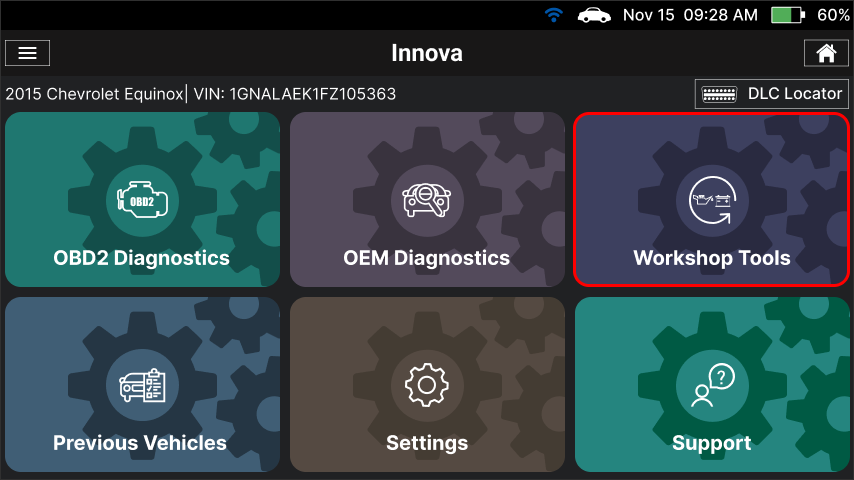
Step 1: Connect the Innova SDS50 to the vehicle via the 16-pin Data Link Connector (DLC). Wait a moment for the AUTO-LINK process to be completed. After retrieving, the Innova SDS50 gets general information such as VIN, vehicle information, and odometer. Next, select the Workshop Tools section.
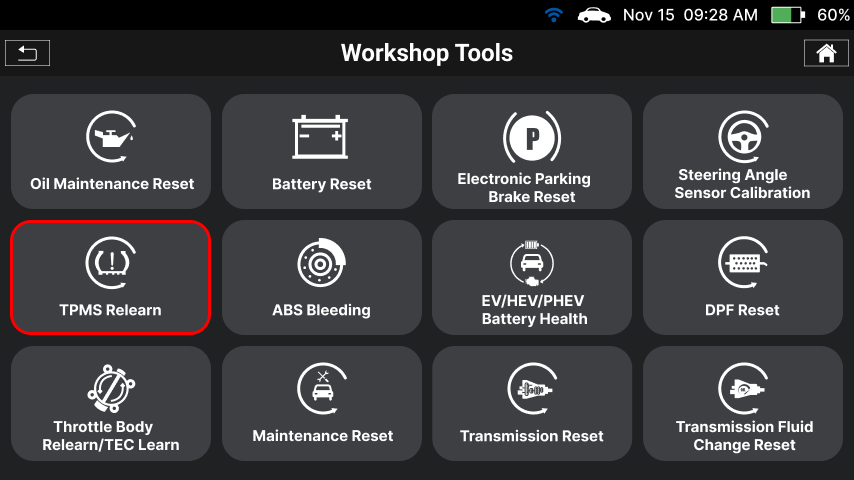
Step 2: The Innova SDS50 offers a range of features, including 16 Service Reset functions as illustrated in the image. To initiate the TPMS Calibration function, you can choose the TPMS Relearn item from the list.
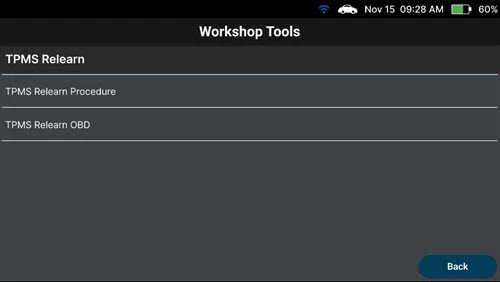
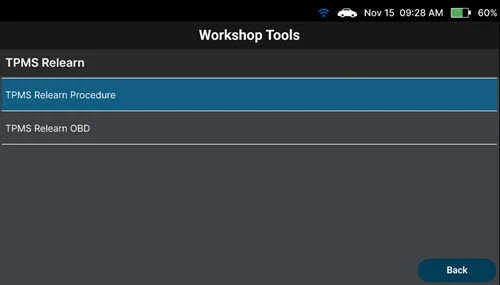
Step 3: The Innova SDS50 supports two types of TPMS Relearn:
- TPMS Relearn Procedure
- TPMS Relearn OBD
1. Relearn Procedure
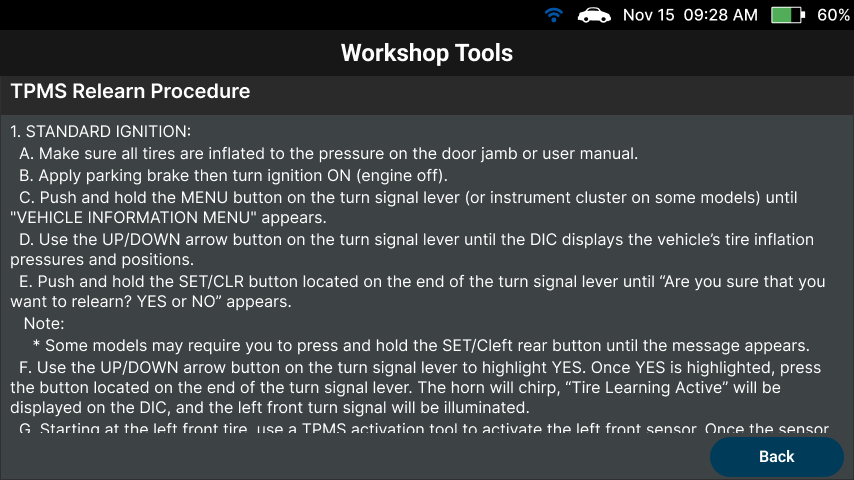
Step 1: Select the TPMS Relearn Procedure item, and the detailed relearn procedures will be displayed on the Innova SDS50.
Step 2: Ensure that the vehicle meets the requirements listed, read, and follow the procedures to perform the TPMS Relearn function.
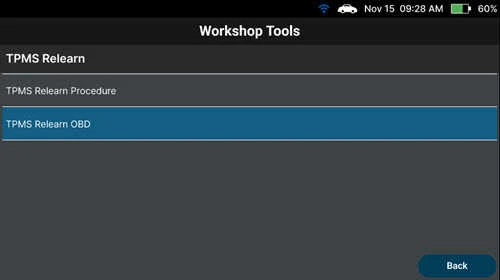
2. On-Board Diagnostic Relearn
Step 1: From the TPMS Relearn menu, select the TPMS Relearn OBD function.
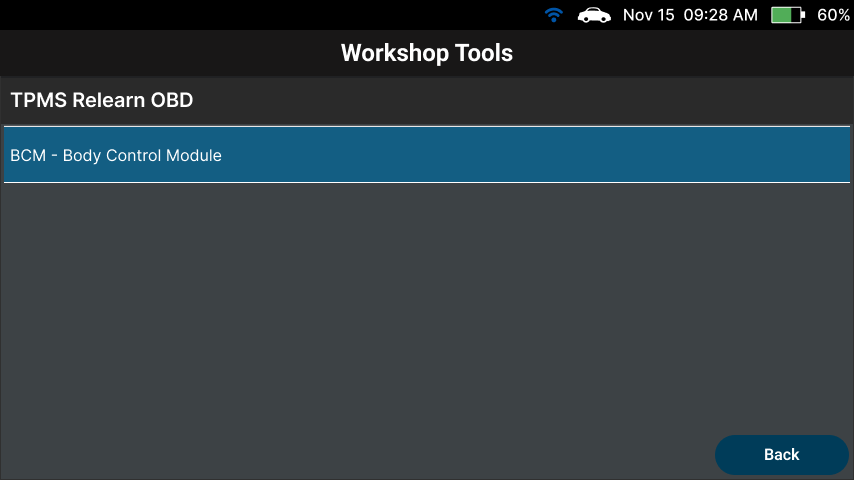
Step 2: Select the system and sub–system to perform TPMS Relearn.
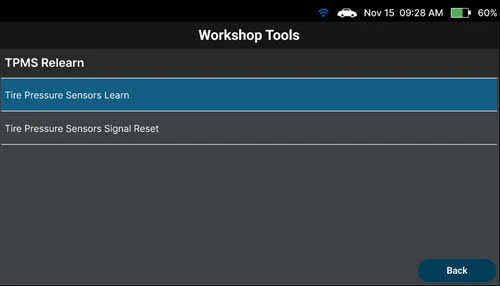
Step 3: Select the function to perform. In this case, select the Tire Pressure Sensor Learn item.
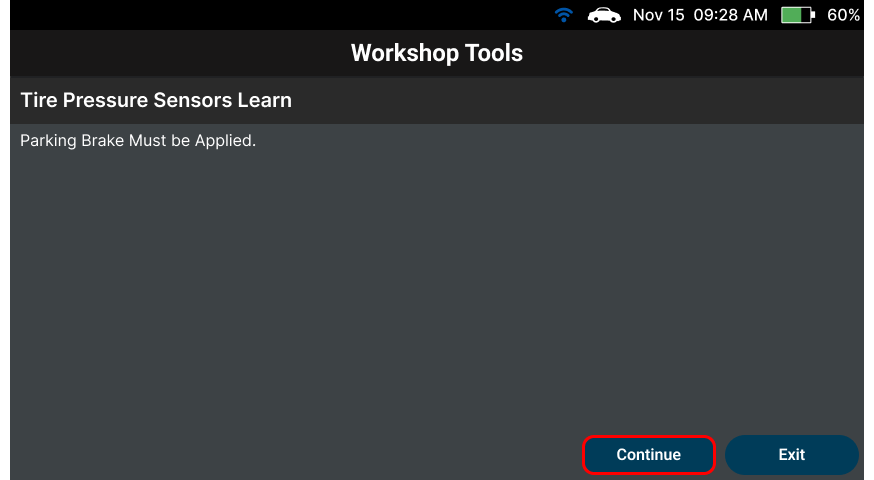
Step 4: The Innova SDS50 screen displays a requirement met to perform the function. Tap Continue to go to the next step.
Step 5: Follow the instructions provided to perform the Tire Pressure Sensors Learn process. Tap the Next button to go to the next step.

Step 6: The Innova SDS50 shows the current data of the vehicle with Command State: None, meaning the function is not performed on this vehicle. Select the Learn button to perform the function. Waiting for the Innova SDS50 to communicate with the vehicle to perform the function.
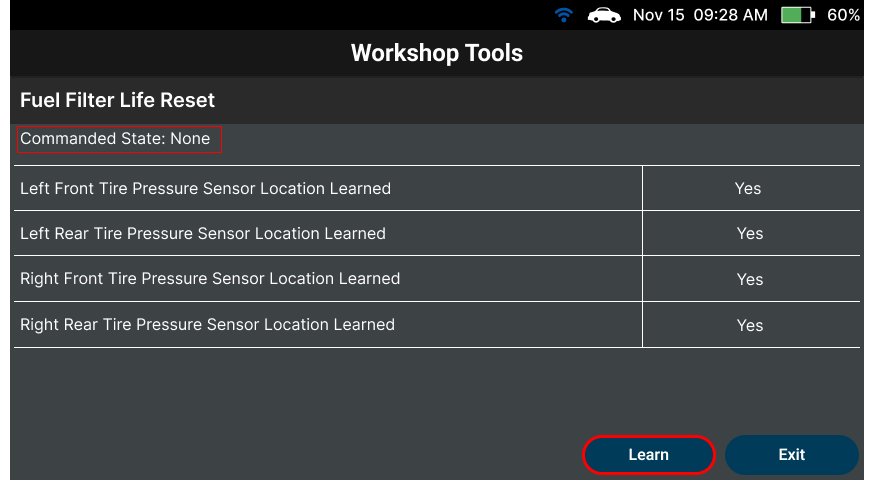
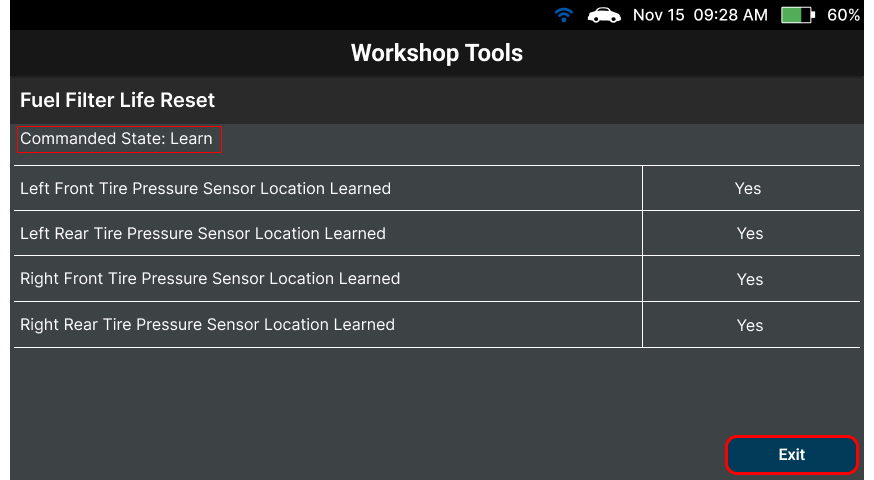
Step 7: After that, the Innova SDS50 shows the Command State: Learn, meaning the function is performed on this vehicle. To finish, choose the Back button to return to the TMPS Relearn Menu, then press the Back button to return to the Workshop Tools screen.