Introduction
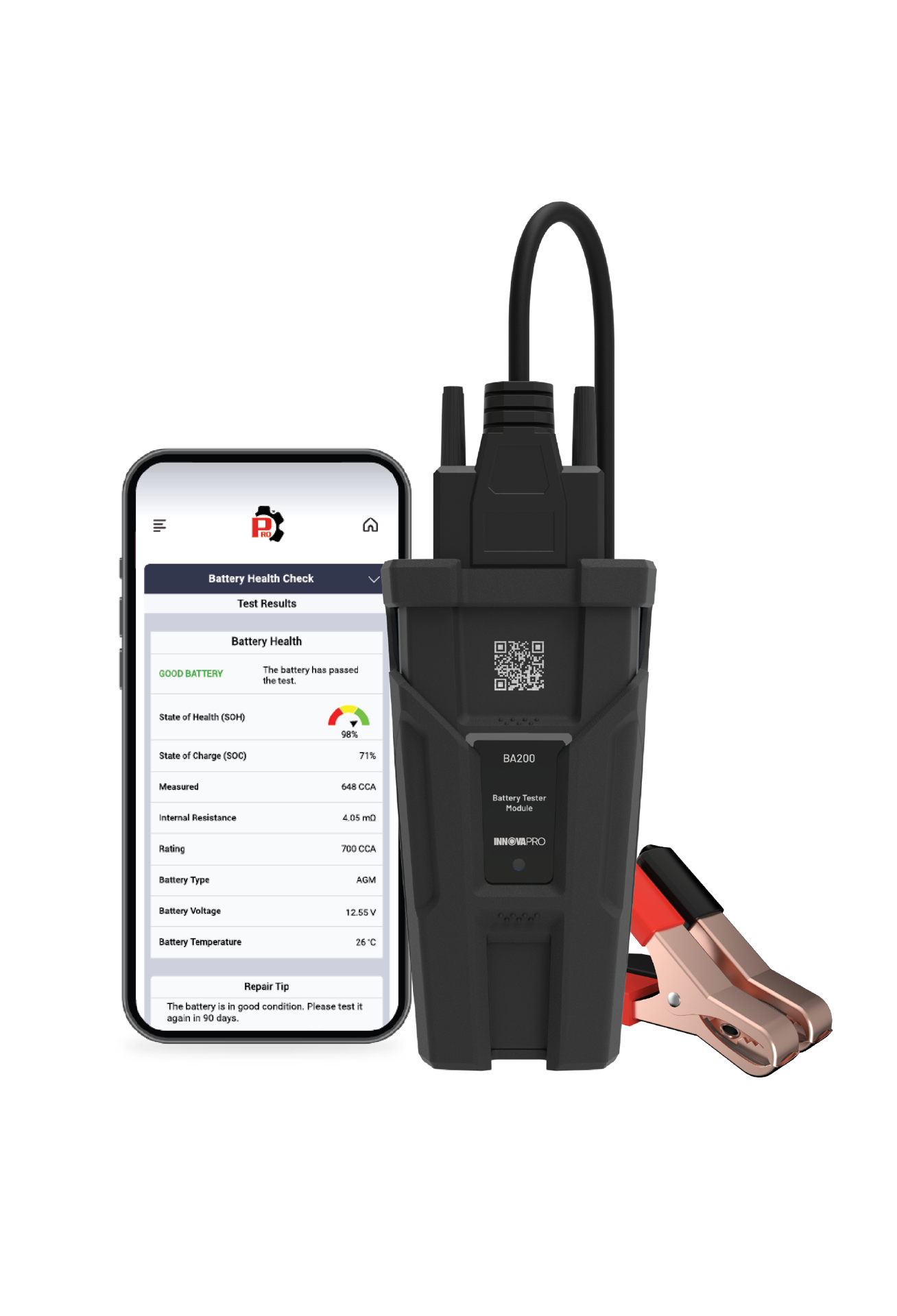
Keeping a vehicle's starter system in good condition is important in ensuring the engine starts easily and reliably. The Starter System Test function on the Battery Tester Module is designed to evaluate the status of the starter system when operating by measuring the cranking voltage. This evaluation provides helpful information about the starter's status, making it easier to identify problems before a critical fault or failure occurs. This article explains how to use the Starter System Test function on the Battery Tester Module.
Instructions
NOTE: Inspect the battery terminals for sulfate deposits and other corrosion. Use a brush to thoroughly clean the terminals before connecting the Battery Tester Module.
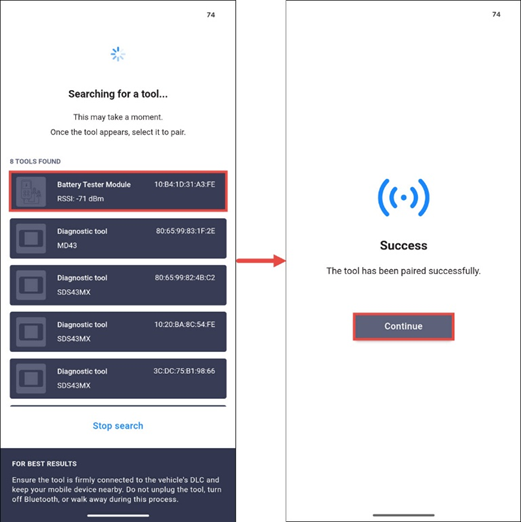
Step 1: Connect the Battery Tester Module with the RSPRO® App.
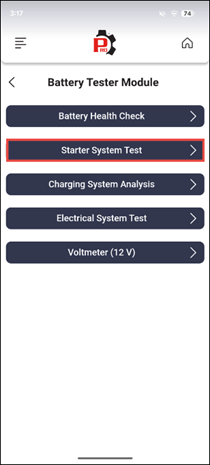
Step 2: Tap Starter System Test in the Battery Tester Module menu.
NOTE: If battery voltage is less than 11.8V, the message ‘Charge the battery and retest’ displays, indicating the battery needs to be charged before trying again. Deliberately starting the engine with a low battery for an extended period can lead to deep discharge, potentially damaging the battery beyond recovery.
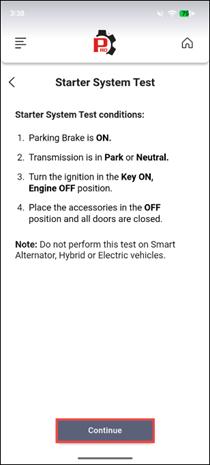
Step 3: Connect the test clamps to the battery terminals; red clamp to the positive terminal and black clamp to the negative terminal. Follow the list of Starter System Test conditions shown on the screen to prepare the vehicle for testing, then tap Continue.
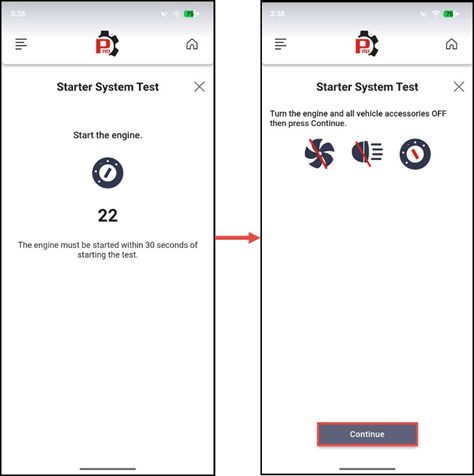
Step 4: When prompted, start the vehicle’s engine within 30 seconds. Follow the instructional screen and turn the engine and all vehicle accessories OFF when prompted, then tap Continue.
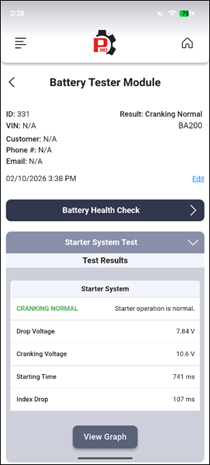
Step 5: After following the prompt, Battery Report screen displays.
Test Result Explanation
Cranking Normal: Indicates starter operation is normal.
Charge Battery: Indicates cranking voltage is low, and the battery is not fully charged.
Low Voltage: Indicates cranking voltage is low.
No Start: Indicates the Battery Tester Module does not detect the engine starting signal as expected.
Video Reference
Disclaimer
This content is subject to change without notice. The information has been carefully reviewed and is believed to be accurate based on our research and findings. It is intended as a guide, not a definitive procedure. We accept no responsibility for inaccuracies. Vehicle-specific test settings may be required.
Copyright 2026 IEC. All rights reserved.

