Introduction
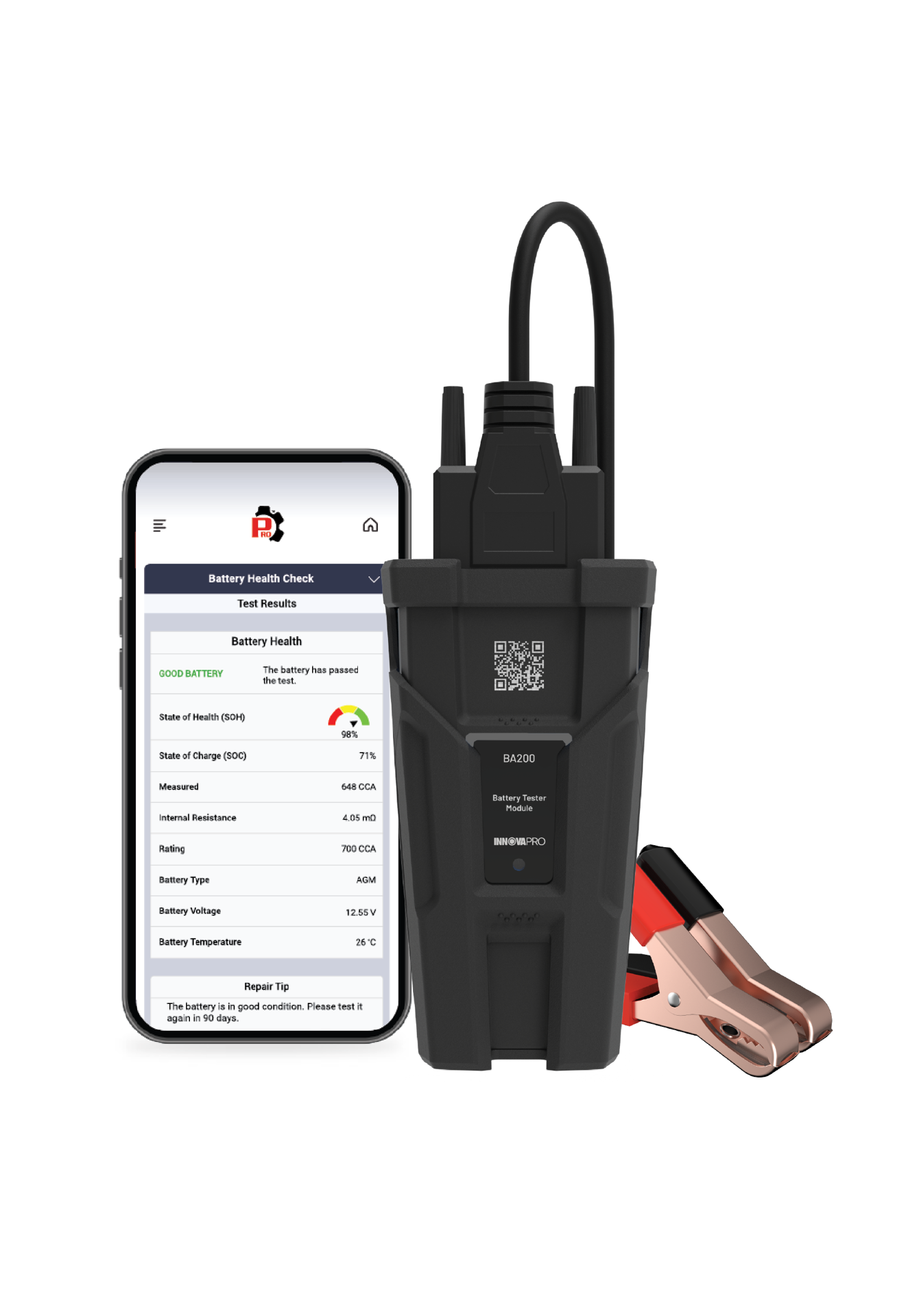
Understanding the overall health of a vehicle's electrical systems is key to preventing issues and ensuring reliable performance. The Electrical System Test function on the Battery Tester Module is designed to provide a comprehensive evaluation by combining three important tests: Battery Health Check, Starter System Test, and Charging System Analysis. This integrated approach saves time and quickly assesses the condition of the starter, alternator, and vehicle’s electrical systems, allowing for the identification of potential problems before they become serious. This article provides detailed instructions on how to use the Electrical System Test function on the Battery Tester Module effectively.
Instructions
NOTE: Inspect the battery terminals for sulfate deposits and other corrosion. Use a brush to thoroughly clean the terminals before connecting the Battery Tester Module.
Step 1: Connect the Battery Tester Module with the RSPRO® App.
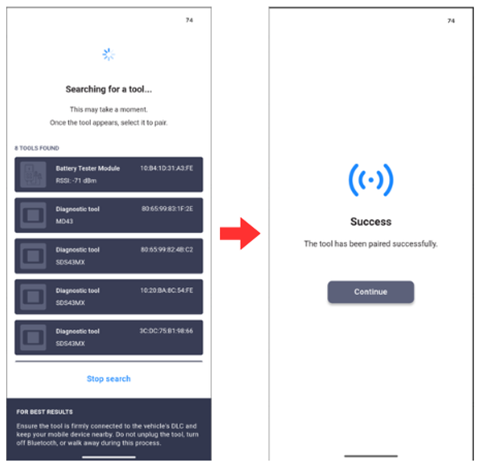
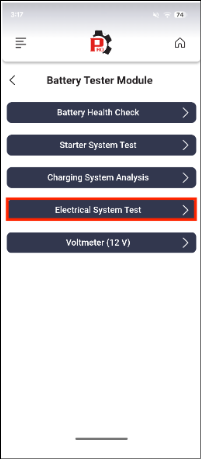
Step 2: Tap Electrical System Test in the Battery Tester Module menu.
NOTE: If battery voltage is less than 11.8V, the message ‘Charge the battery and retest’ displays, indicating that the battery needs to be charged before trying again.
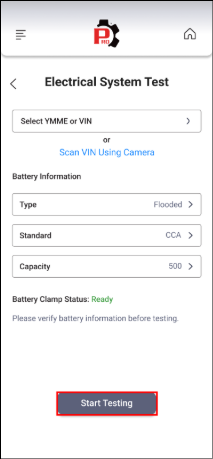
Step 3: Select the Type, Standard, and Rating of the battery. Selection of the YMME or VIN of the vehicle is optional. Connect the test clamps to the battery terminals; red clamp to the positive terminal and black clamp to the negative terminal. Ensure that the Battery Clamp Status shown on the screen is Ready, then tap Start Testing.
NOTE:
YMME or VIN can be entered manually or selected from a list of memorized vehicles. The VIN can also be scanned by choosing the Scan VIN Using Camera function.
Make sure the connection between the test clamps and the battery terminals are good to ensure test results are correct.
If the Battery Health result is Replace Battery or Charge - Retest, the Electrical System Test is terminated. The Electrical System Report screen displays. Tap Battery Health Check to view the results, then follow the repair tips to correct the problem before trying again, as bad battery health will cause inaccurate results.
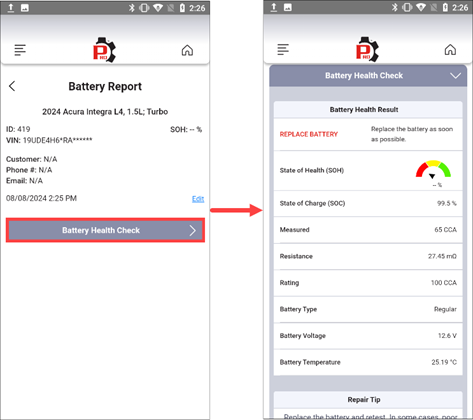
If the Battery Health result is Good Battery or Good – Recharge, proceed to Step 5.
Step 4: Follow the list of Electrical System Test conditions shown on the screen to prepare the vehicle for testing, then tap Continue.
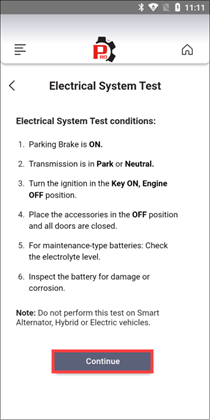
NOTE: If the battery is a wet cell (maintenance-type), check the electrolyte level (the level of the mixture inside the battery that transmits electricity between the terminals of the battery). Make sure the electrolyte is at the required level for the battery type to obtain the most accurate test results.
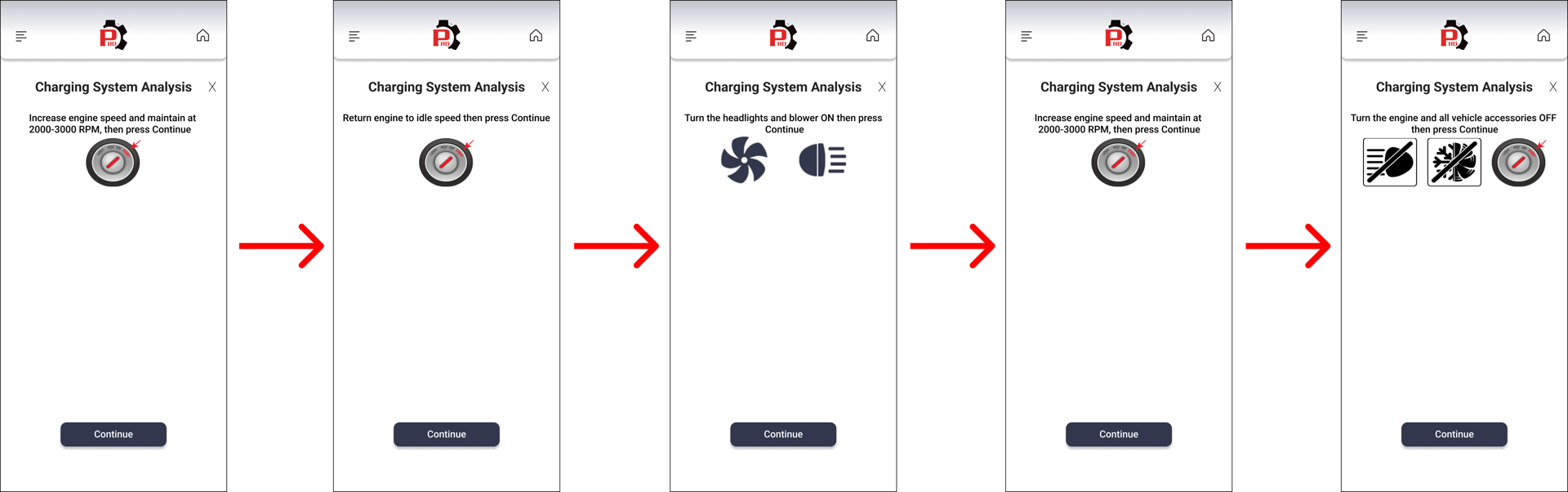
Step 5: Follow the on-screen instructions to perform the test, then tap Continue.
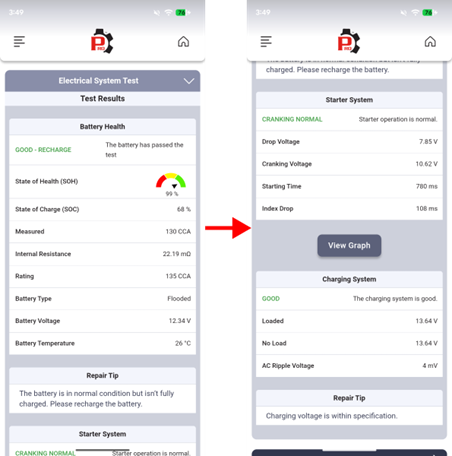
Step 6: The Electrical System Test Results screen displays Battery Health, Starter System, or Charging System test results.
Video Reference
Disclaimer
This content is subject to change without notice. The information has been carefully reviewed and is believed to be accurate based on our research and findings. It is intended as a guide, not a definitive procedure. We accept no responsibility for inaccuracies. Vehicle-specific test settings may be required.
Copyright 2026 IEC. All rights reserved.

