Introduction
To ensure customers can use the Battery Tester Module as effectively as possible, keeping the software up to date is essential. Regular updates provide improved performance, expanded functionality, and compatibility with the latest vehicle systems. The RSPRO® app is designed to support firmware upgrades for the Battery Tester Module using Over-the-Air (OTA) technology, enabling a streamlined and efficient update process without requiring direct physical connections.
Instructions
Step 1: Connect the Battery Tester Module with the RSPRO® app by tapping Connect button.
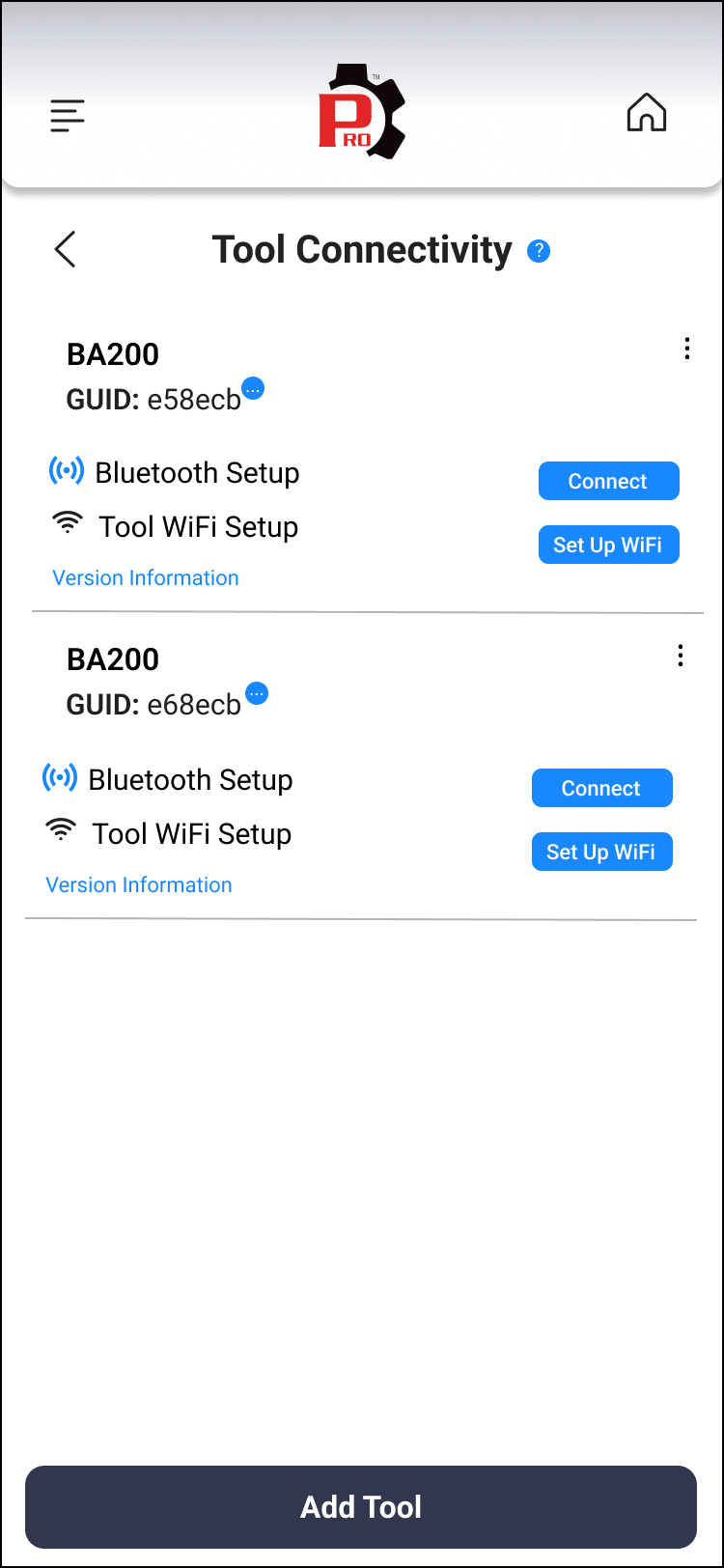
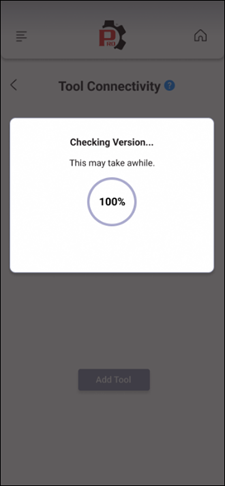
Step 2: The RSPRO® app starts comparing the Battery Tester Module’s current firmware version with the latest available version. If the current version is outdated, the app displays a confirmation prompt to update the firmware.
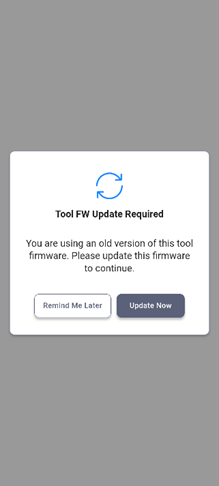
Step 3: Tap the Update Now button to start upgrading the latest firmware.
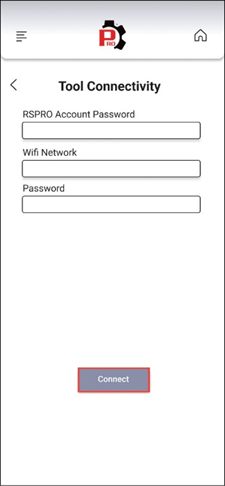
Step 4: Fill the RSPRO® Account Password, Wi-Fi Network and Password. After that, tap the Connect button to continue.
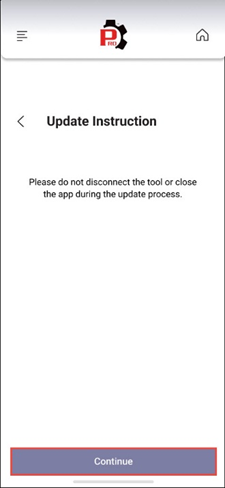
Step 5: Follow the instructions and tap the Continue button to start the upgrading process.
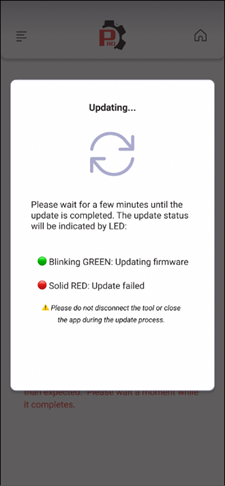
Step 6: Wait for few minutes to complete the upgrading process.
Disclaimer
This content is subject to change without notice. The information has been carefully reviewed and is believed to be accurate based on our research and findings. It is intended as a guide, not a definitive procedure. We accept no responsibility for inaccuracies. Vehicle-specific test settings may be required.
Copyright 2026 IEC. All rights reserved.

