Introduction
Description: To guide you on how to use the Active Test feature while using the INNOVA® SDS50: Android Tablet Smart Diagnostic System.
Benefits: The Active Test function, also called the Active Test, is a function to activate the actuators, relays, fuel pumps, injectors, ignition coils, and many more components. Performing the Active Test feature for Engine Control Module/Powertrain Control Module (ECM/PCM), and Transmission Control Module (TCM) systems on various vehicles is available on the Innova SDS50. It offers the most popular items in the Active Test function available for 15 vehicle makes.
Instructions
Step 1: Connect the Innova SDS50 to the vehicle via the 16-pin Data Link Connector (DLC). Wait a moment for the AUTO-LINK process to be completed.
After retrieving, the Innova SDS50 gets general information such as VIN, vehicle information, and odometer. Next, select the OEM Diagnostics section.
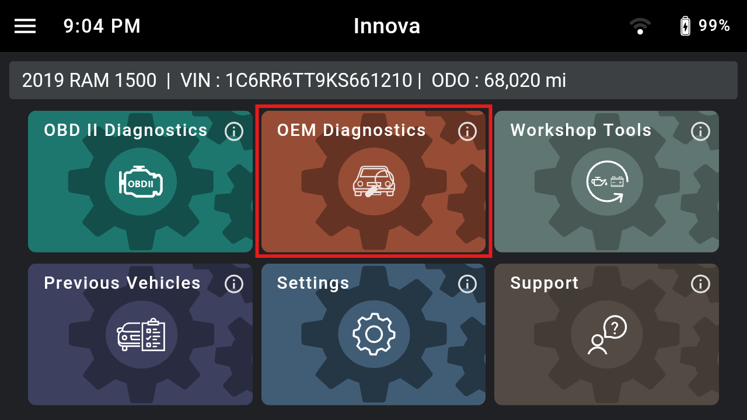
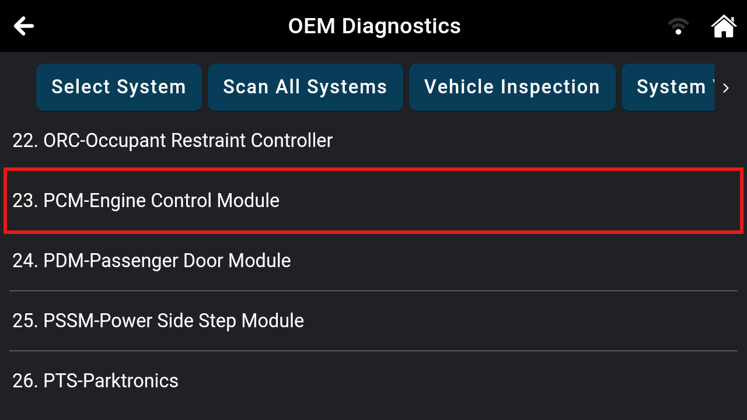
Step 2: Based on the vehicle information, the Innova SDS50 shows you the list of systems supported in this vehicle. Next, select the system you wish to perform the Active Test.
NOTE: The system name might be different from vehicle to vehicle.
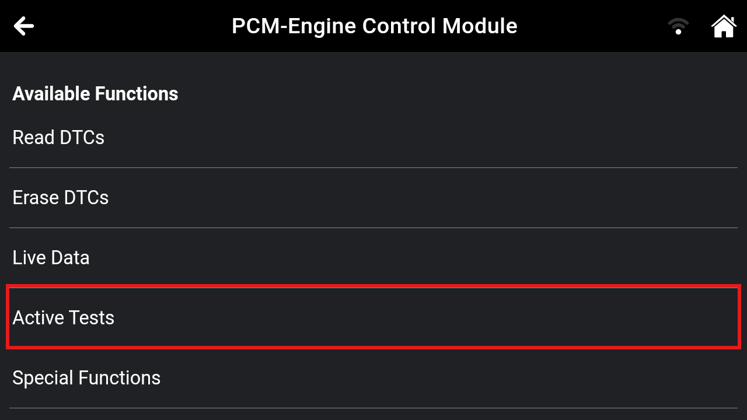
Step 3: Waiting for the Innova SDS50 to retrieve data from the control modules. Tap the Active Test button to access the Active Test feature of this module.
NOTE: The Active Test feature availability varies based on the make and model of the vehicle.
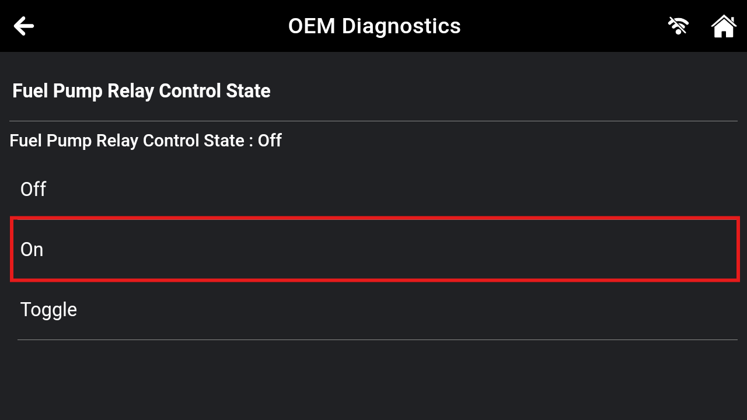
The Scan Tool retrieves and displays a menu of Active Tests available for the vehicle. Select the desired test. Follow the instructions to control the vehicle actuators and components to operate as desired.
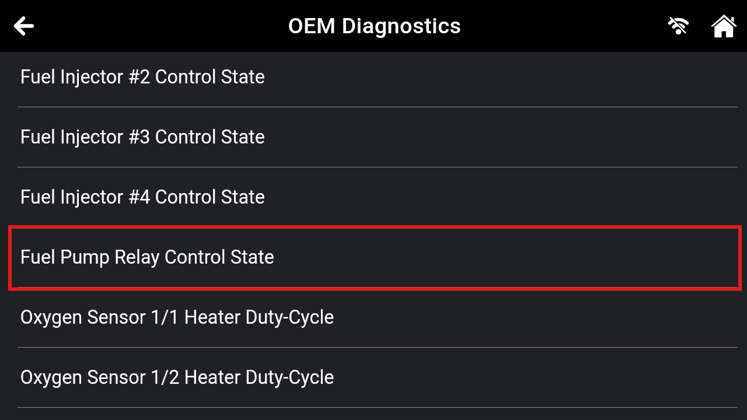
Step 4: After tapping the appropriate control, the screen will show its test results. Repeat this step as desired.
NOTE: If required, please follow the instructions on the screen to meet the conditions of the Active Test process
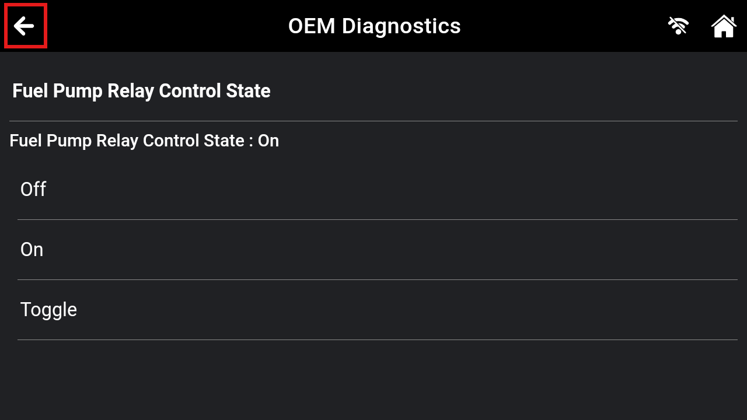
Step 5: Tap the Back Icon to return to the Active Test menu.
Reference Video
This article applies to Firmware version 24.05.04

