Introduction
Description: The Throttle Body Relearn function allows you to perform calibration for the Electronic Control Unit (ECU) on various vehicles, to relearn the new throttle position after the throttle body is cleaned, repaired, or replaced to ensure the engine runs smoothly with precise air/fuel (A/F) ratio and keep the engine idle within a specific range.
Benefits: This article guides users on how to perform the Throttle Body Relearn function while using the Innova SDS50: Smart Diagnostic System (SDS) Tech.
Instructions
NOTE: This procedure is carried out on the 2022 Mitsubishi Eclipse Cross.
NOTE: The system name and function procedure differ depending on the manufacturer and model of the vehicle.
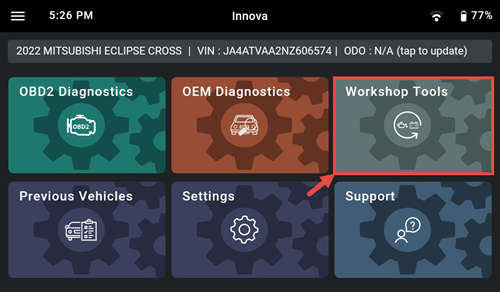
Step 1: Connect the Innova SDS50 to the vehicle via the 16-pin Data Link Connector (DLC). Wait a moment for the AUTO-LINK process to be completed. After retrieving, the Innova SDS50 gets general information such as VIN, vehicle information, and odometer. Next, select the Workshop Tools section.
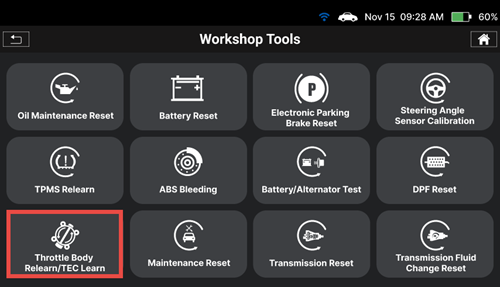
Step 2: The Innova SDS50 offers a range of features, including 16 Service Reset functions as illustrated in the image. To initiate the Throttle Body Relearn/TEC Learn function, you can choose the Throttle Body Relearn/TEC Learn item from the list.
Step 3: After that, tap Engine and ECT item to enter the system responsible for the Throttle Body Relearn/TEC Learn function on the vehicle.
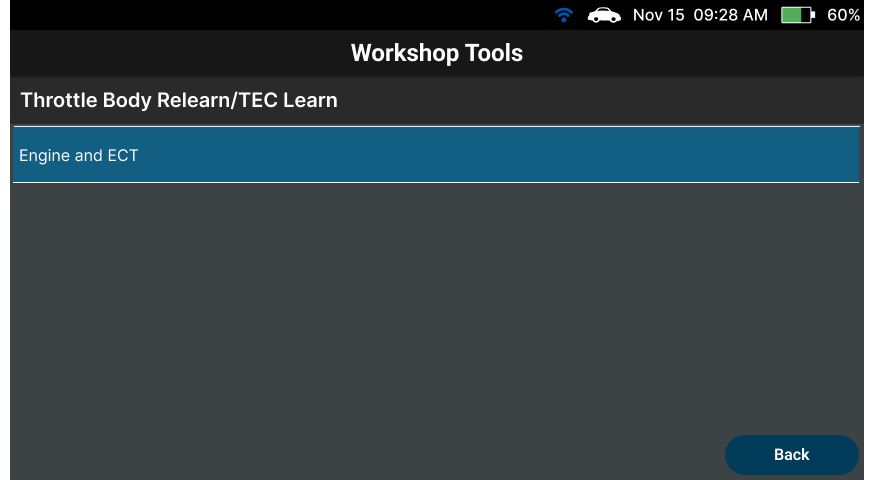
Select Idle Speed Relearn to perform this function.
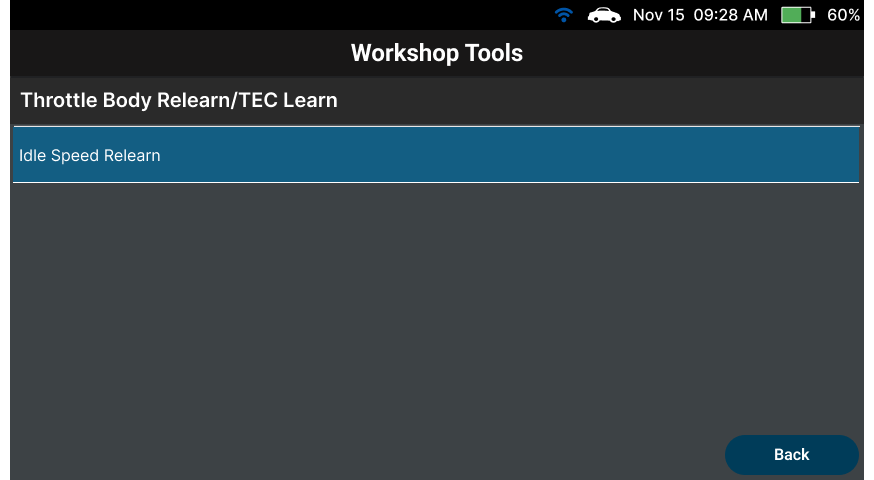
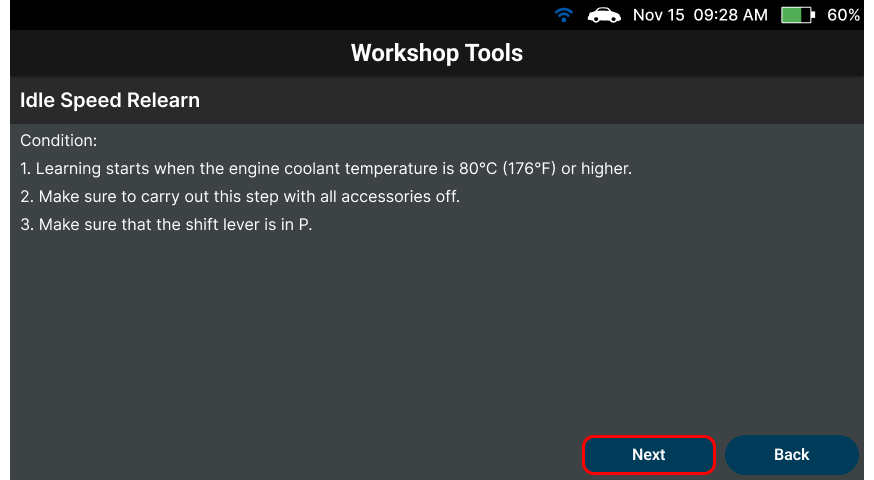
The Innova SDS50 shows some conditions that must be met first before performing the Throttle Body Relearn procedure. If not, the resetting procedure will be unsuccessful. Tap Next to go to the next step.
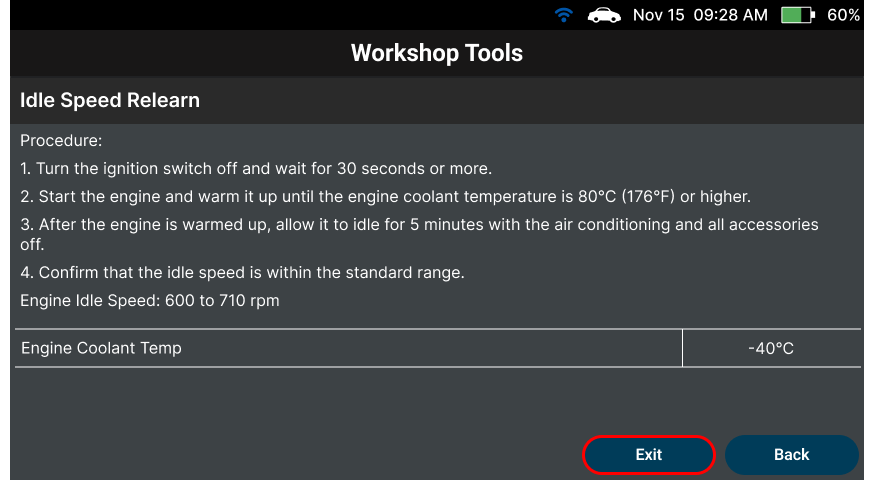
Step 4: The Innova SDS50 shows the procedure to perform the Throttle Body Relearn. Following the procedure to complete the Throttle Body Relearn function. After that, select the ‘Exit’ button to finish the procedure.