Introduction
Description: The Innova SDS50: Smart Diagnostic System Inspector is a professional-grade scan tool designed to equip automotive technicians with advanced diagnostic capabilities. In addition to basic code reading, the SDS50 provides real-time data streams and advanced functions, enabling precise diagnostics for critical vehicle systems, including the engine, transmission, brakes, and more.
Benefits: This article delves into the powerful features of the Innova SDS50, demonstrating how it elevates the diagnostic process for automotive professionals.
Instructions
Innova SDS50 is an affordable diagnostic Scan Tool with Professional-level functionality for performing Original Equipment Manufacturer (OEM) - level diagnostics. It uses a large 5-inch touchscreen display system and functions in brilliant color and clarity.
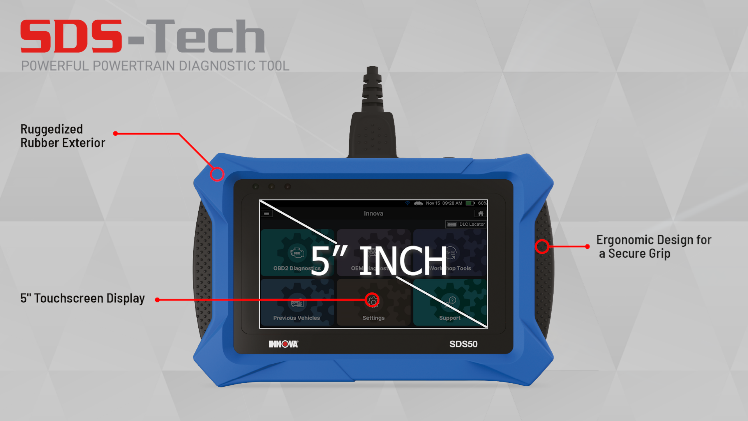
The Innova SDS50 provides coverage for most 1996 and newer Domestic, Asian, and European vehicles in the world.

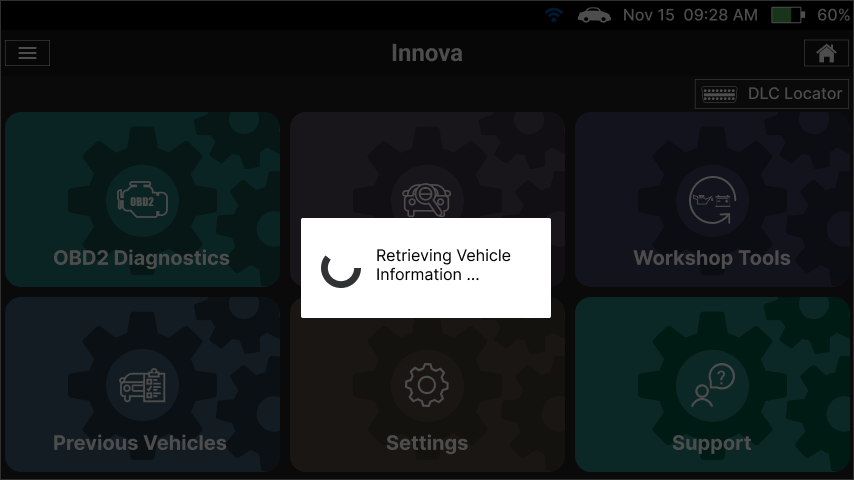
Auto VIN Decode feature is one of the specific features of the Innova SDS50. Simply plug into the vehicle Data Link Connector (DLC) and the Scan Tool will automatically establish communication to identify the vehicle information.
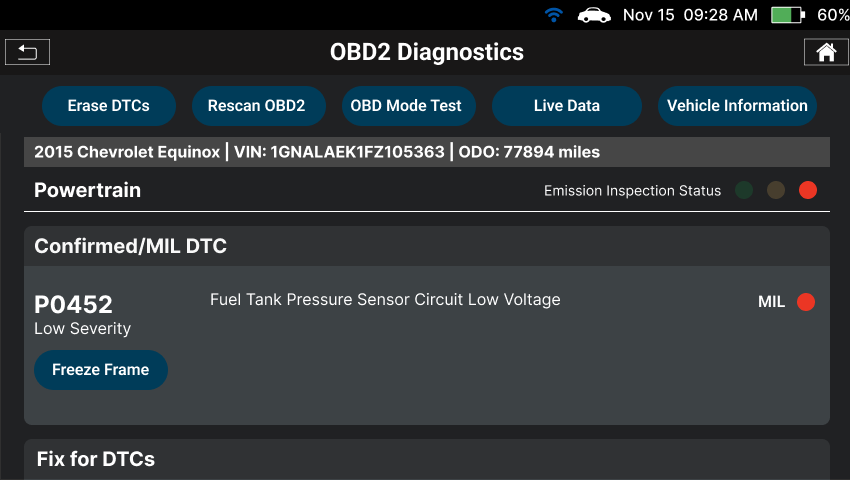
The Innova SDS50 is fully supported with all OBD II modes in OBD II Diagnostics. It provides the enhanced and improves OBD II Diagnostic functionality for reading and clearing OBD II powertrain emission-related fault codes, code priority, code severity alert, viewing Freeze Frame Data and Emission/SMOG Check Readiness 3-LED, viewing OBD II Live Data Stream graphing, recording, and playback of Live Data, Drive Cycle for Completing SMOG/Emission Check. Moreover, the Innova SDS50 provides the most likely Verified Fixes and Repair Tips for Diagnostic Trouble Codes (DTCs), real-world solutions from thousands of Automotive Service Excellence (ASE) certified technicians who have walked through the same problem.
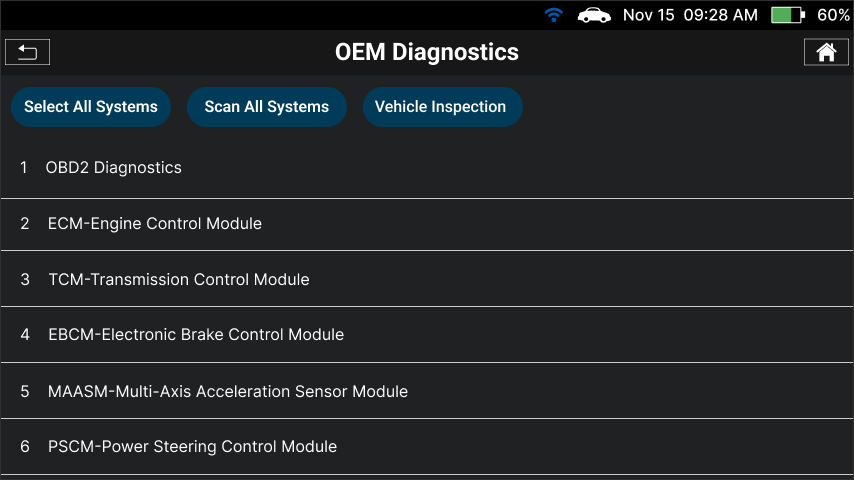
The Innova SDS50 goes far beyond simply communicating with basic systems. The OEM diagnostic functionality allows instant access to vehicle systems for further diagnostics and OBD II Diagnostics. Reads OEM Codes/OEM ECU Information and Clears OEM System Codes of all systems.
The scan all system function offers a vehicle network state of health report where ECU available functions can be accessed as view Enhanced Data Stream (All Systems), graphing (graphs four values), recording, and playback Live Data; even perform dealership level bi-directional tool features active test and special functions for Engine Powertrain and Transmission.
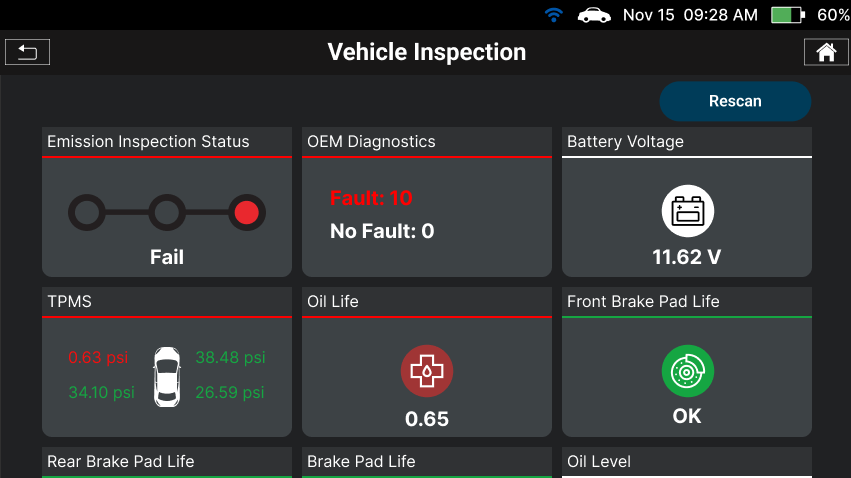
The Vehicle Inspection function provides an overall Vehicle Health Report including:
- Emission Inspection Status.
- Vehicle Service Status, such as check value of Battery Life, Transmission Fluid Temperature, Oil level, Oil Life Remaining, Brake Pad Life, Tire Pressure, Tire Pressure Status, Vehicle Odometer.
- Warning lights include ABS Dash Indicator light, Airbag Dash Indicator light, and TPMS Warning Light.
The Vehicle Inspection provides three types of Business Reports:
- Diagnostic Report
- Customer Report
- Collision Industry Report
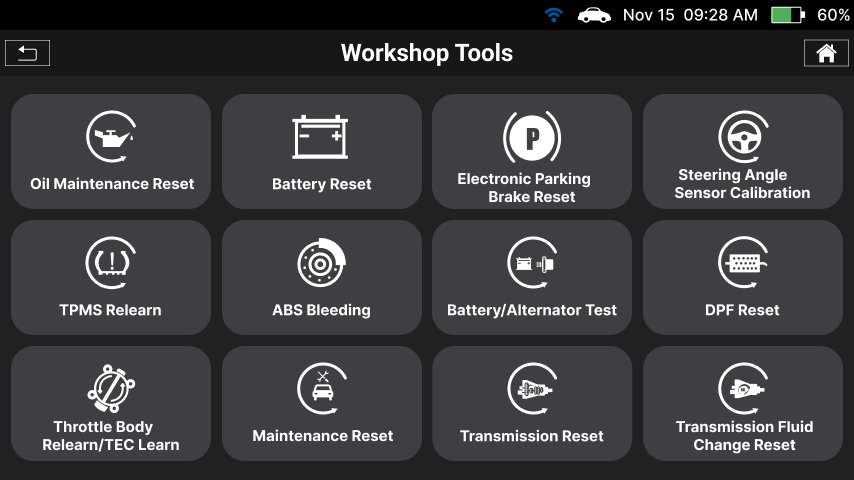
With Scan Tool’s Workshop Tools function offers quick and easy access to the most popular routines, self-tests and calibrations used for service and repairs including 16 Service Reset Functions: Oil Maintenance Reset, Battery Reset, Battery Initialization, Electronic Parking Brake Reset, Steering Angle Sensor Calibration, TPMS Relearn, Throttle Body Relearn, ABS Bleeding, DPF Reset, Maintenance Reset, Transmission Reset, Transmission Fluid Change Reset, Transmission Fluid Level Check, Suspension Calibration, Headlamp Calibration, Tire Size Reset, EV/HEV/PHEV Battery Health, Battery/Alternator Test.
Related Articles
- Innova SDS50: How to perform Special Function feature: link
- Innova SDS50: How to perform the Steering Angle Sensor Calibration feature: link
- Innova SDS50: How to perform the Battery Test feature: link

