Introduction
Description: The Transmission Reset function is a feature available in certain vehicles that allows users to reset of the Transmission Control Module (TCM) to its default settings. The TCM is responsible for controlling the operation of the transmission, including shift points, gear engagement, and other related functions.
The Transmission Reset function is typically used in situations where the transmission is experiencing performance issues or abnormal behavior. By performing a reset, the TCM is cleared of any stored error codes or adaptive learning parameters, and it reverts to its original factory settings. Resetting the transmission can help resolve certain transmission-related problems, such as rough shifting, slipping gears, or hesitation. However, it's important to note that not all vehicles have a Transmission Reset function, and even if available, it should be performed with caution. It's recommended to refer to the vehicle's manual or consult a qualified mechanic for specific instructions on using this feature.
Benefits: This article shows how to use the Innova SDS50 Smart Diagnostic System (SDS) Tech to perform the Transmission Reset function
Instructions
Note: This procedure is carried out on the 2015 Chevrolet Equinox.
Note: The system name and function procedure differ depending on the manufacturer and model of the vehicle.
Step 1: Connect the Innova SDS50 to the vehicle via the 16-pin Data Link Connector (DLC). Wait a moment for the AUTO-LINK process to be completed. After retrieving, the Innova SDS50 gets general information such as VIN, vehicle information, and odometer. Next, select the Workshop Tools section.
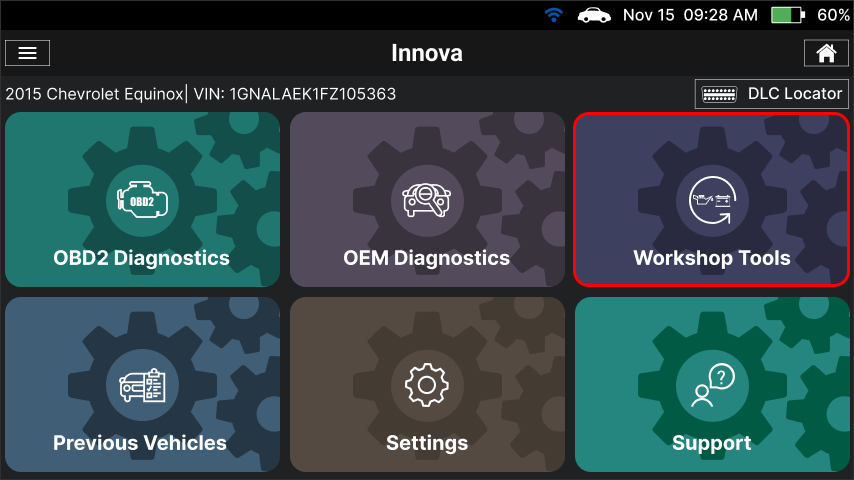
Step 2: The Innova SDS50 offers a range of features, including 16 Service Reset functions as illustrated in the image. To initiate the Transmission Reset function, you can choose the Transmission Reset item from the list.
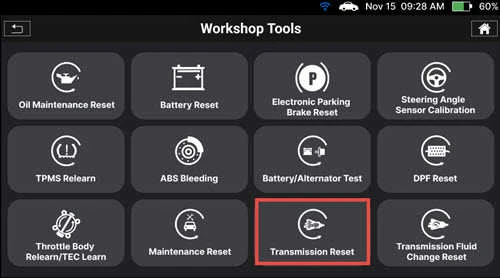
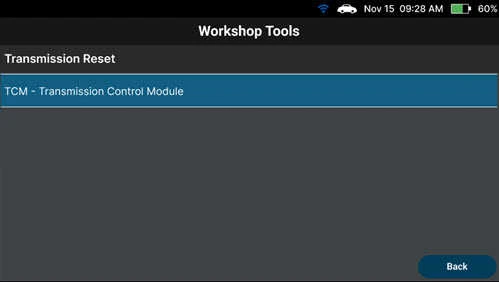
Step 3: Select the system and sub–system to perform Transmission Reset.
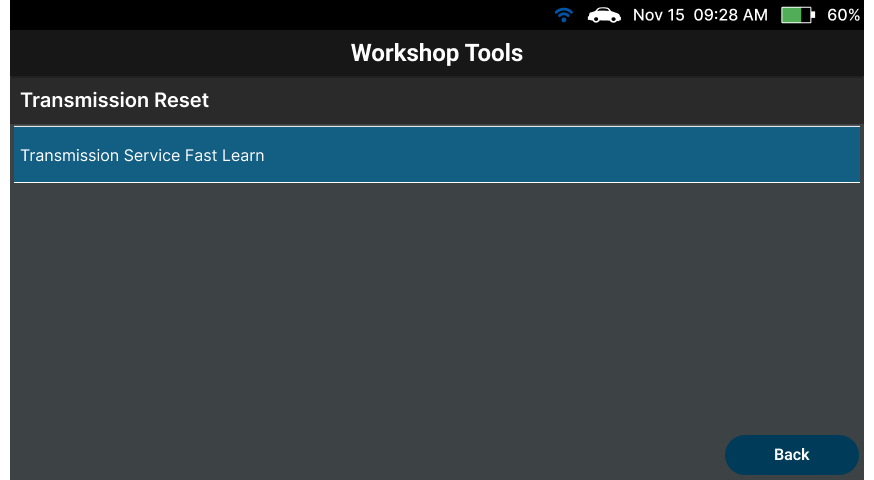
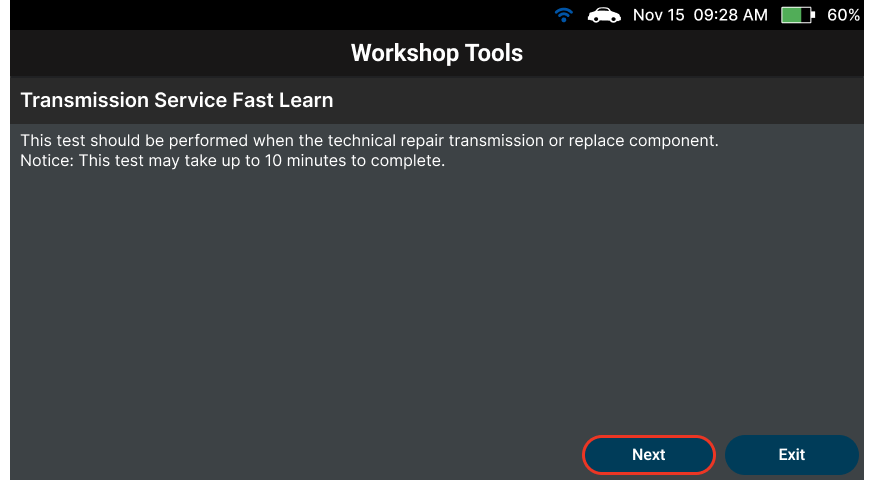
Step 4: Select the Transmission Service Fast Learn item to go to the next step. After selecting the Transmission Reset function, the Scan Tool shows the time to perform this process.
Step 5: Tap the Next button to go to the next step.
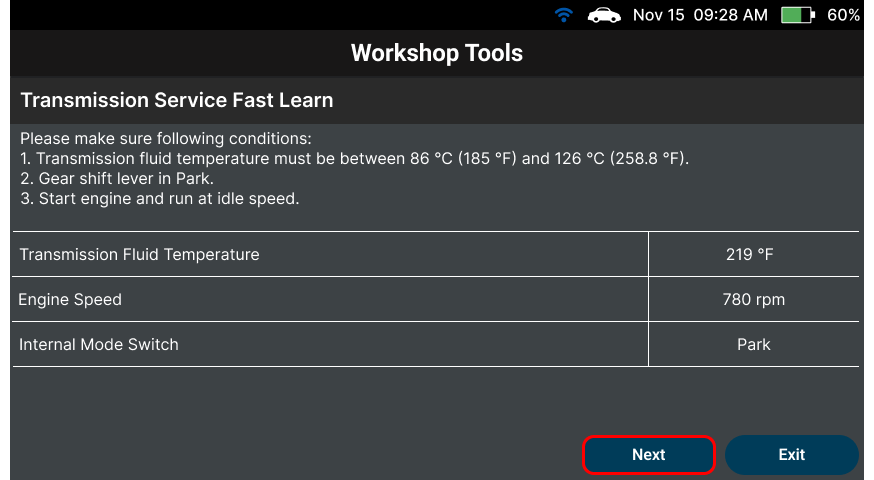
Step 6: The Innova SDS50 shows some conditions that must be met first before performing the Transmission Reset function. If not, the resetting process may fail. Tap the Next button to go to the next step.
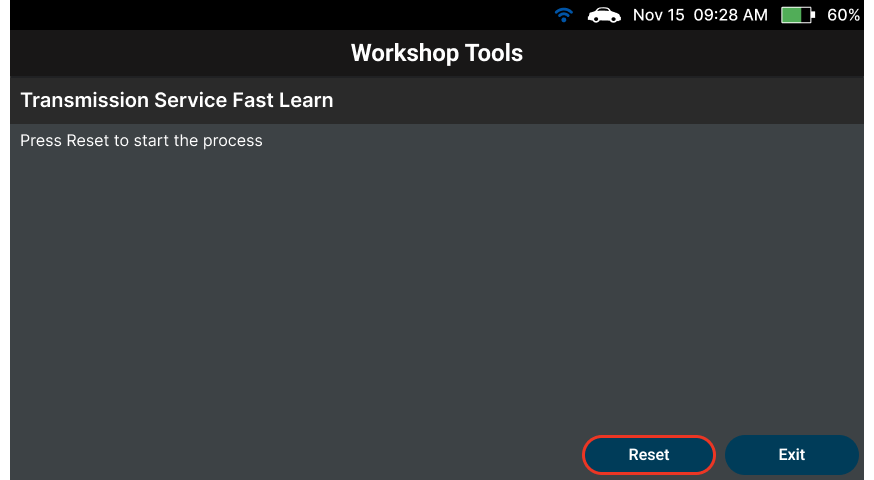
Step 7: Next, tap the Reset button to perform the function.
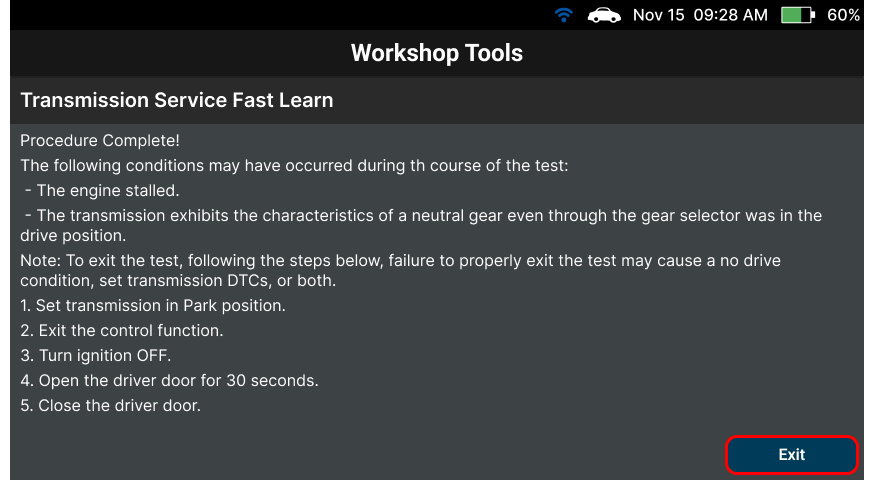
Step 8: Wait and check the result of performing the function. Follow the steps on the screen to exit the test properly. Then tap the Exit button to finish the Transmission Reset function.
Related Articles
- Innova SDS50: How to perform Special Function feature: link
- Innova SDS50: How to perform the Steering Angle Sensor Calibration feature: link
- Innova SDS50: How to perform the Battery Test feature: link

